AI glasses for employee onboarding. Explain it once, not every time.
Your most experienced colleague hands over how the job is done once, in their own words. From then on, the AI coach walks every new hire through it step by step on the glasses, and when they get stuck, one tap brings in someone who can help.
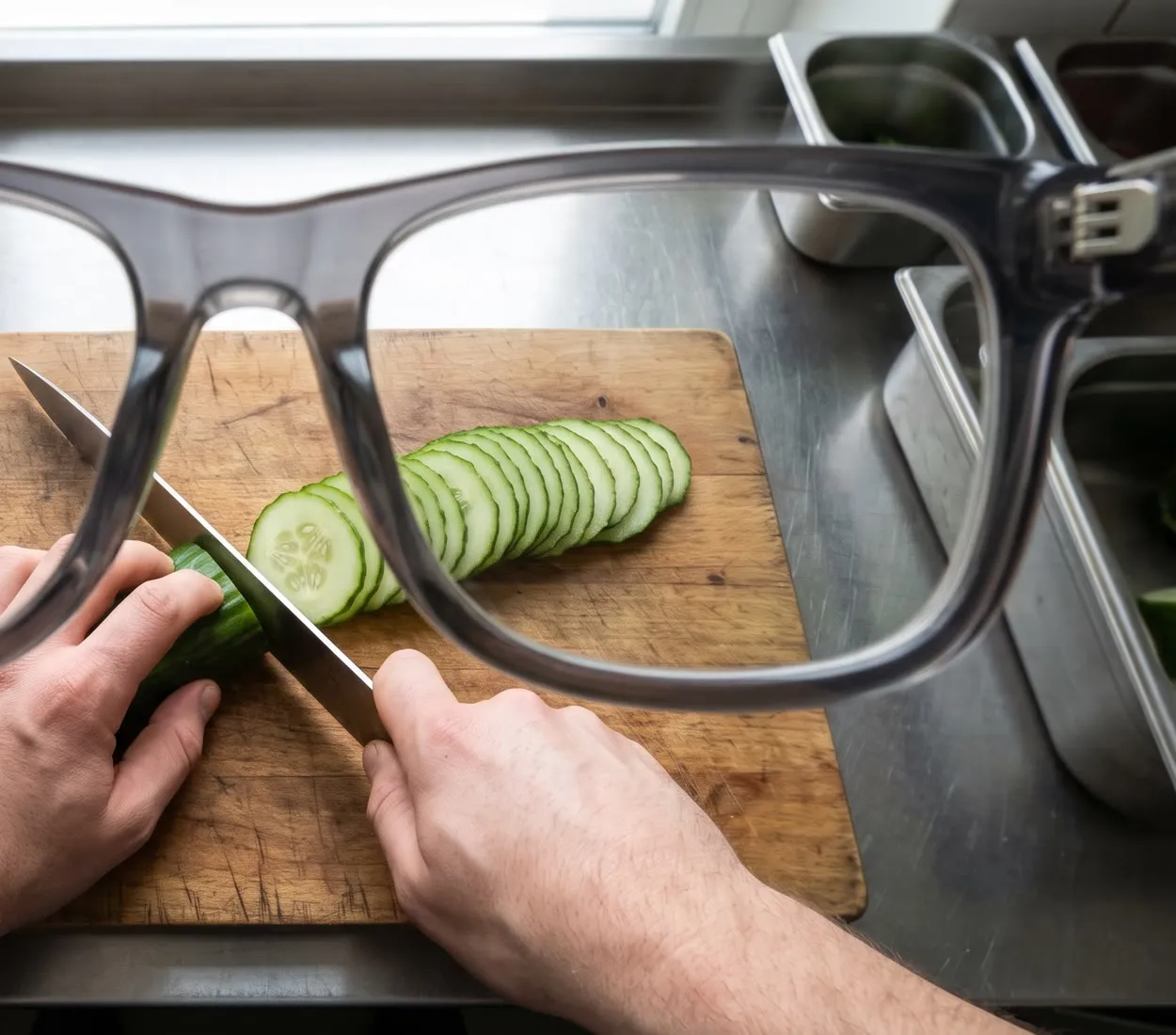 Example
Onboarding ties up your best people.
Your best person becomes a trainer
For weeks they stand next to the new hire and explain the same thing again and again. Meanwhile their own work waits, or someone else has to cover it.
Every trainer does it differently
Whoever has a minute shows them, their own way. The new hire learns three ways to do one task and doesn’t know which one is right.
Asking is awkward, guessing is easier
They don’t want to bother the chef or the shift lead again, so they guess. You find out they didn’t know when something goes wrong.
Hand it over once, and every new hire gets the same.
Your experienced colleague hands over how the job is done once, step by step, with a photo and a short clip, in their own words, including the thresholds and the small tricks of the trade. The AI coach works from that, and only for you.
Your way, step by step
The AI coach sees where the new hire is and tells them what comes next, when they need it, not before. Hands-free work instructions, and on Meta Ray-Ban Display they can read them in the lens too.
Questions, as many as they like
“Is this right?” “What’s next?” The coach answers based on what the new hire is looking at. No one to bother, nothing to guess.
Stuck? One tap
A remote expert call brings in your experienced colleague, who sees what the new hire sees in a web browser. They circle what matters, then get back to their own work.
See where they’re still unsure
Every step is captured with a photo, the spoken note and a timestamp. In the customer portal you replay it from the glasses’ point of view and tag what still needs talking through as “to review”.
A new cook’s first day: the chef’s words in their ear, their hands on the work.
A restaurant, a new cook, day one. The head chef has already handed over the morning prep and the lunch service once, each step with a photo and a short clip.
- Glasses on, first workflowThe new cook starts the morning prep by voice. The coach sees where they are and only ever gives the next step.
- A question at the chopping board“Is this thin enough?” The coach answers from what the glasses see, based on the chef’s own recipe. In the Meta Ray-Ban Display lens, the step’s photo appears on request.
- The chef, one tap awayThe sauce isn’t thickening the way it should, and the chef is at the other restaurant. One tap, and the chef sees what the new cook sees in a web browser and talks them through it live.
- Replay in the portalThe chef watches the morning back from the glasses’ point of view and tags the sauce step “to review” and the plating “good example”.
- A short debriefFive minutes at the end of the shift to look at the tagged step together. Tomorrow they move on to the lunch service workflow.
Whatever happens on the job stays on record, in words and pictures.
Whether the AI coach is guiding, an expert is on the call or a code is being scanned, the job writes its own record. For larger companies that is a requirement, not an extra, so it is part of every feature.
In writing
Spoken questions, answers and notes are captured as text, with no typing.
In pictures
A photo of each step from the glasses’ point of view. From calls, the expert’s marked-up pictures are kept too.
Time-stamped
Every photo, sentence and scan carries its exact time, so you can always see what happened when.
Searchable
Find any job in the customer portal by project or by label, for example important or to review.
Replayable
Watch the job again from the glasses’ point of view, with the transcript and a step-by-step timeline.
In a database
Every record is kept instead of getting lost in notebooks or message threads, and you can pull it up at any time.
Frequently asked questions
Can’t find what you’re looking for? Write to us — a human replies.
How do AI glasses help with employee onboarding and training?
With AdeptGlass, the AI coach walks new hires through your own work instructions step by step on Ray-Ban Meta or Meta Ray-Ban Display glasses. It sees where they are and speaks up when it’s needed, so an experienced colleague doesn’t have to stand beside them all day.
Who creates the training content?
Your own experts, once: the steps, the thresholds and the small tricks of the trade, in their own words, with a photo and a short clip per step. The AI coach works only from that material, and only for your company.
What happens when a new hire gets stuck?
They ask the coach, which answers based on what they are looking at. If they need more, one tap or a spoken request calls in an experienced colleague, who sees what they see in a web browser. More on the remote expert.
Can I see how a new hire is getting on?
Yes. Every step is captured with a photo, the spoken note and a timestamp. In the customer portal you replay it from the glasses’ point of view, with the transcript and the step timeline, and tag what still needs talking through.
Can we use Meta Ray-Ban glasses for business training?
Yes. AdeptGlass is built for business use with Ray-Ban Meta and Meta Ray-Ban Display glasses and an iPhone. The AI coach speaks any language.
How do we get started with AI glasses for onboarding?
A pair of Ray-Ban Meta or Meta Ray-Ban Display glasses and an iPhone are enough, and we can help with the glasses. You can try it in an afternoon, then we plan a team pilot together, and after the pilot we tailor the price to your team’s size. Get in touch.
We’ll show you live. At your site, online or at your event.
See how we run a demo →Let’s start with a pilot.
Tell us what your team works on and where we could help. A human replies — not a bot.
We also show it live: at your site, online or at an event. How our demos work →
See what they see.
Know what they know.