Smart glasses for warehouse and logistics. Both hands free.
Look at the label on a carton or pallet, and the glasses tell you which item it is from your own product list. When a parcel arrives damaged or an item is missing, a photo and a timestamp record what you saw, so you have something to point to in a dispute.
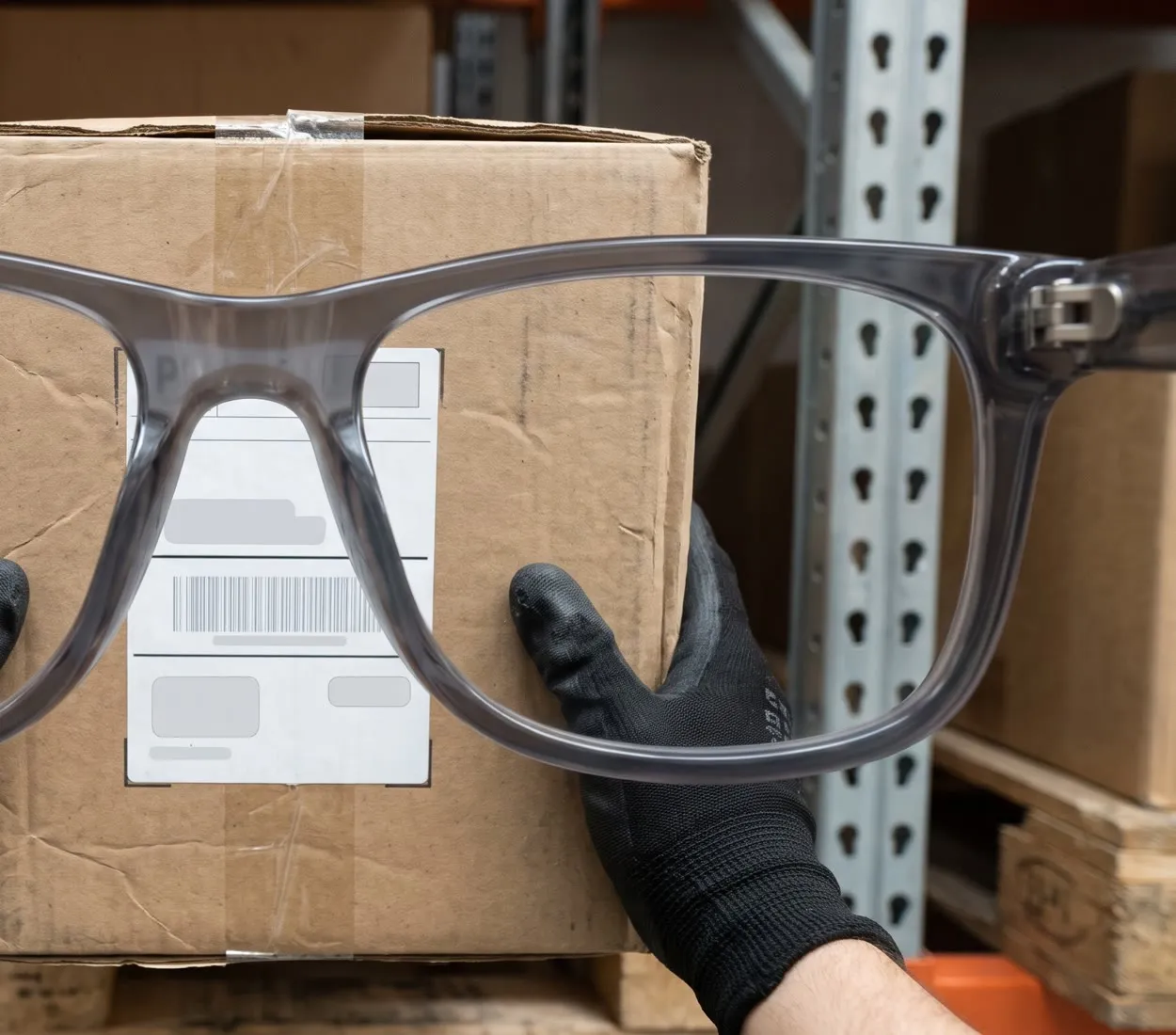 Example
Your hands are full, and afterwards there’s nothing to show.
A box in one hand, a scanner in the other
Put the carton down, grab the handheld scanner, find the label, pick the carton up again. For every item, on every delivery.
In a dispute, it’s your word against theirs
The carton arrived damaged, or something was missing. By the time you file the claim, nobody can show what it looked like at goods-in. At best, there’s a photo on someone’s phone.
New staff don’t know the items yet
Similar boxes, similar codes, and it’s their first week. Either they keep asking an experienced colleague, or they guess, and the mix-up only shows at dispatch.
Look, ask, and it’s already on record.
You upload your product list as a spreadsheet in the customer portal, and your experienced colleagues hand over the goods-in and dispatch steps once, in their own words. AdeptGlass works from that, and only for you.
One look at the label
With the new barcode & QR scanning, you look at the code on a carton, a pallet or your own label and ask the glasses to read it. They tell you which item it is from your product list, no handheld scanner needed.
Photo and timestamp when something’s wrong
Damaged carton or missing item? Say what you see, and the photo, your note and the time go into the job record. In a dispute, the proof is there.
Onboarding on the dock
The AI coach walks new warehouse staff through your own goods-in and dispatch steps and speaks up when it’s needed. They can ask questions too, and the answer is based on what they’re looking at.
When something doesn’t add up
A code that isn’t on the list, or a delivery that doesn’t match the delivery note? With a remote expert call, the shift lead sees what you see in a web browser, and you decide together what happens next.
A morning at the dock: hands free, proof in the record.
A wholesale warehouse, a new colleague in their second week, and a morning delivery at Dock 3. The product list is already in the customer portal, and the shift lead has handed over the goods-in steps once, each with a photo.
- Glasses on, goods-in startsThe new colleague starts the goods-in workflow by voice. The coach sees where they are and only ever gives the next step.
- Cartons, no handheld scannerThey look at the carton label: “Read this.” The glasses say it’s M8 × 40 bolts, 200 pieces, and that it’s on the product list. Their hands stay free.
- A carton with a crushed cornerThey say what they see: “Corner crushed, contents intact.” The photo, the note and the time go into the record.
- A code that isn’t on the listOne carton carries a code the product list doesn’t know. One tap, and in a web browser the shift lead sees what the new colleague sees: “Set it aside, I’ll check with the supplier.”
- A claim, with a photoPurchasing raises a claim with the supplier about the damaged carton. In the customer portal they look up the morning’s goods-in: the photo, the time and the spoken note are all there.
Whatever happens on the job stays on record, in words and pictures.
Whether the AI coach is guiding, an expert is on the call or a code is being scanned, the job writes its own record. For larger companies that is a requirement, not an extra, so it is part of every feature.
In writing
Spoken questions, answers and notes are captured as text, with no typing.
In pictures
A photo of each step from the glasses’ point of view. From calls, the expert’s marked-up pictures are kept too.
Time-stamped
Every photo, sentence and scan carries its exact time, so you can always see what happened when.
Searchable
Find any job in the customer portal by project or by label, for example important or to review.
Replayable
Watch the job again from the glasses’ point of view, with the transcript and a step-by-step timeline.
In a database
Every record is kept instead of getting lost in notebooks or message threads, and you can pull it up at any time.
Frequently asked questions
Can’t find what you’re looking for? Write to us — a human replies.
Can Ray-Ban Meta smart glasses scan barcodes in a warehouse?
Yes, with the new AdeptGlass feature, on Ray-Ban Meta and Meta Ray-Ban Display glasses. You look at a carton or pallet label, ask the glasses to read it, and they tell you which item it is from your own product list. More on barcode scanning.
Which labels can smart glasses read in the warehouse?
QR codes and common barcodes on cartons, pallet labels and your own labels. Very small codes on retail packaging aren’t what it’s made for.
How do we document a damaged parcel or a missing item?
Say what you see, and the photo, your note and the timestamp go into the job record, with no typing afterwards. You can find it later in the customer portal, so in a dispute you can show what arrived and in what condition.
Can AI glasses help onboard new warehouse staff?
Yes. The AI coach walks new staff through your own goods-in and dispatch steps in any language, and code scanning tells them which item is in front of them. If they get stuck, one tap calls in an experienced colleague.
Does it connect to our ERP system?
Connections to company systems such as work orders, ERP and CRM are coming soon. Until then, you simply upload your product list as a spreadsheet in the customer portal.
How do we get started with smart glasses in the warehouse?
A pair of Ray-Ban Meta or Meta Ray-Ban Display glasses and an iPhone are enough, and we can help with the glasses. You can try it on your own labels in an afternoon, then we plan a team pilot together, and after the pilot we tailor the price to your team’s size. Get in touch.
We’ll show you live. At your site, online or at your event.
See how we run a demo →Let’s start with a pilot.
Tell us what your team works on and where we could help. A human replies — not a bot.
We also show it live: at your site, online or at an event. How our demos work →
See what they see.
Know what they know.