Call in the expert. They see through your eyes.
One tap, and your colleague sees what you see, live, in their web browser. They circle what matters, and on Meta Ray-Ban Display the mark appears in your lens while you carry on working.
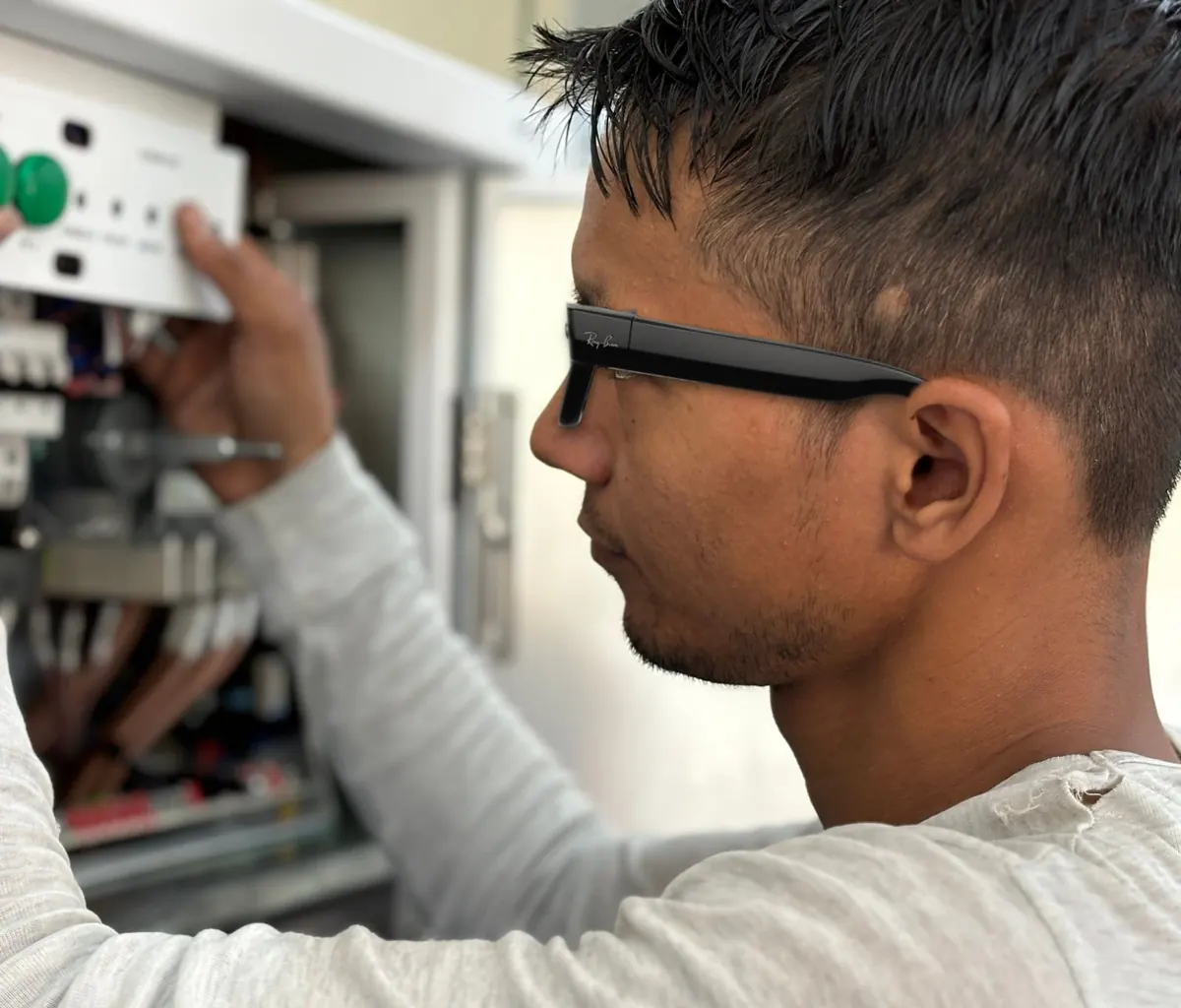 On site · Mark
You work on site, they see it from the office.
You stay on the job
- Call with one tap or by voice
- Hear the expert through the glasses’ speakers
- On Meta Ray-Ban Display: the marked-up picture in your lens
- Your hands stay free throughout
They see what you see
- The call rings in their web browser
- They watch your glasses’ view live
- They freeze, circle and send a note
- Nothing to install
Fewer site visits, faster fixes, more confident teams.
An experienced specialist’s time is the scarcest resource you have. With a remote expert call, they can help on several sites in one day, and nobody has to hold up a phone.
No travel needed
The expert helps from the office, from home or from another site. You save the travel time and the cost.
Sees it from your point of view
Not a phone camera’s picture, but exactly what you see while you work. No need to explain where to look.
Both hands on the job
No phone in your hand, no camera to hold. You talk, you hear the answer, and you keep working.
The call is documented too
The conversation and the marks go into the job record, so you can look back later at what happened and why.
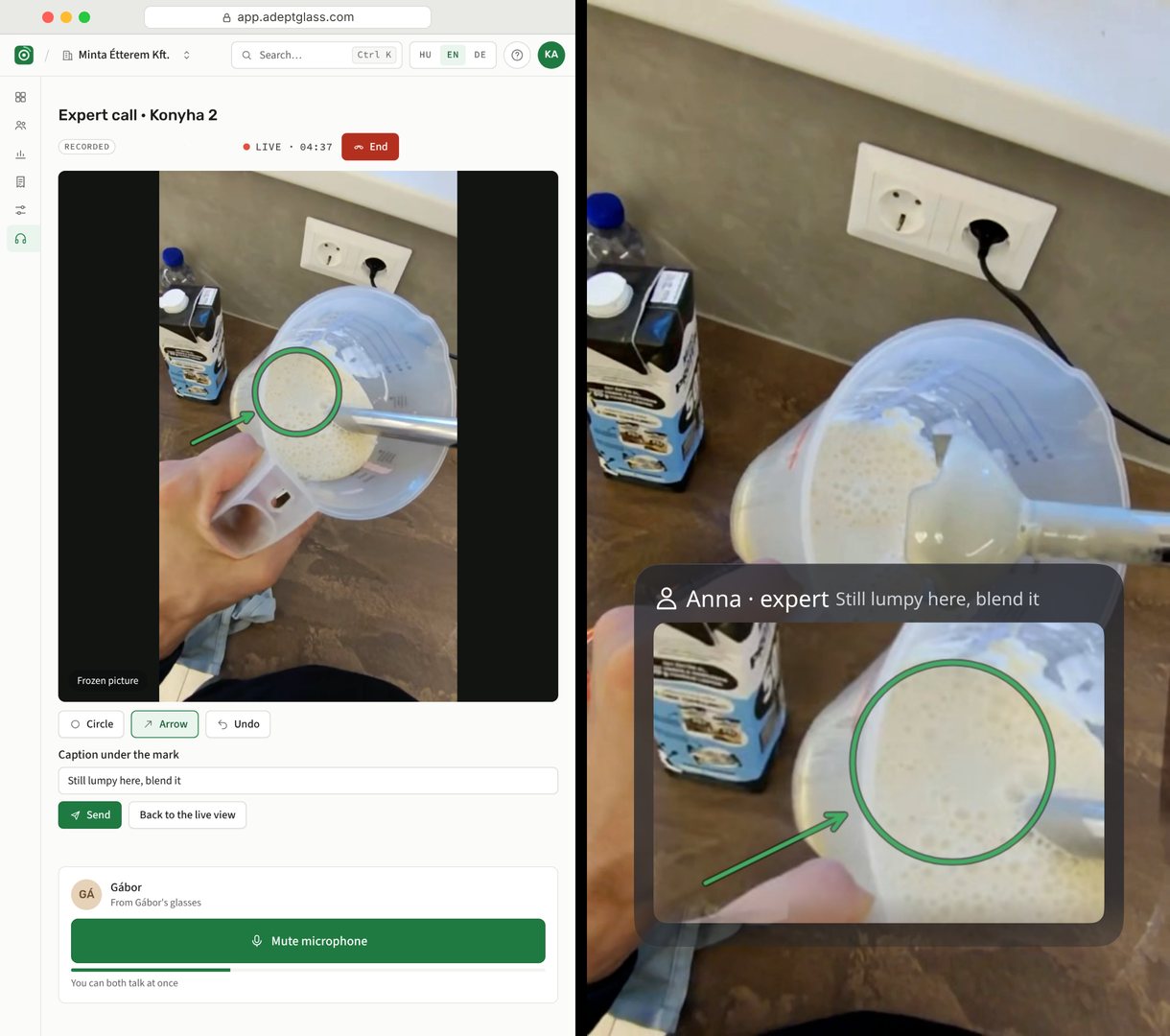
They point, they circle, and you see it in your lens.
The expert takes the call in a web browser, in the AdeptGlass customer portal. They see the live picture and talk with you. When it helps, they freeze a moment, circle the key detail and send it with a short note. On Meta Ray-Ban Display glasses, the marked-up picture appears in your lens.
- Nothing for the expert to install
- Live picture and two-way conversation
- Marked-up picture in the Meta Ray-Ban Display lens
- The call goes into the job record
Whatever happens on the job stays on record, in words and pictures.
Whether the AI coach is guiding, an expert is on the call or a code is being scanned, the job writes its own record. For larger companies that is a requirement, not an extra, so it is part of every feature.
In writing
Spoken questions, answers and notes are captured as text, with no typing.
In pictures
A photo of each step from the glasses’ point of view. From calls, the expert’s marked-up pictures are kept too.
Time-stamped
Every photo, sentence and scan carries its exact time, so you can always see what happened when.
Searchable
Find any job in the customer portal by project or by label, for example important or to review.
Replayable
Watch the job again from the glasses’ point of view, with the transcript and a step-by-step timeline.
In a database
Every record is kept instead of getting lost in notebooks or message threads, and you can pull it up at any time.
You get stuck, you ask, and now there are two of you looking.
- 1You get stuck Something doesn’t look the way it should. You don’t have to put your tools down.
- 2You call in a colleague One tap on the phone. The call rings for the expert in their browser.
- 3You solve it together They see what you see, talk with you and circle what matters. The call goes into the record.
Questions about remote assistance with Meta glasses
Can’t find what you’re looking for? Write to us — a human replies.
Can Meta Ray-Ban glasses be used for remote assistance in our company?
Yes. AdeptGlass is built for business use: the worker calls a colleague from Ray-Ban Meta or Meta Ray-Ban Display glasses, and the colleague sees the picture and helps from a web browser. Request a free demo and we’ll show you on your own work.
How is this different from a WhatsApp video call from Meta glasses?
On WhatsApp, too, the other person sees what the glasses see, live. But the expert takes an AdeptGlass call in your company’s customer portal, in the web browser on their computer. If they want to show something, they freeze the picture and circle the spot, and the worker sees the mark in the Meta Ray-Ban Display lens as well. The call goes into the job record together with the expert’s photos, so you can look back later at what happened.
Which Meta glasses and which phones does it work with?
With Meta AI glasses (Ray-Ban Meta, Meta Ray-Ban Display) and an iPhone. With either pair, the expert sees the live picture and talks with the worker. On Meta Ray-Ban Display, the marked-up picture also appears in the lens.
What does the expert need to take a call?
A computer with a web browser and access to your company’s AdeptGlass customer portal. There is nothing to install.
What does the worker see in the glasses?
In the Meta Ray-Ban Display lens they see that the call is live and who is helping, and the expert’s marked-up picture appears there with its short note. They hear the expert through the glasses’ speakers.
Do workers need the Meta Neural Band for the Display glasses?
No. The worker controls the glasses by voice, and whatever the coach or the expert sends appears in the Meta Ray-Ban Display lens on its own.
Who can see the picture from the glasses, and when is the camera on?
The camera only works during an active session that the worker starts and stops, and nothing runs in the background. The expert the worker calls in sees the live picture in your company’s customer portal. Your company decides who can see the call in the job record later.
Can we watch the call again later?
Yes. The call goes into the job record and has its own tab in the customer portal, with the expert’s photos.
How much does it cost?
After the pilot, we tailor the price to the size of your team. With one pair of glasses, you can try it in an afternoon.
We’ll show you live. At your site, online or at your event.
See how we run a demo →Let’s start with a pilot.
Tell us what your team works on and where we could help. A human replies — not a bot.
We also show it live: at your site, online or at an event. How our demos work →
See what they see.
Know what they know.