Smart glasses for vocational training. A master at every bench.
The instructor hands over an exercise once, in their own words. The AI coach then guides every student through it at their own pace on the glasses, and later the instructor replays how each one worked, from the student’s point of view.
 Example
One instructor can’t be at every bench.
One instructor, a whole group
They can only stand beside one student at a time. Whoever gets stuck waits, or guesses, and only sees the mistake at the end.
You see the result, not the movement
The instructor grades the finished piece. Where the student went wrong along the way stays hidden, so it’s hard to correct the right thing.
A craft doesn’t fit in the notes
When the cream is thick enough, how the chisel sits in the hand: you can’t write it down, only show it. And you can only show one student at a time.
The instructor hands it over once. Every student gets it.
The instructor hands over an exercise once, step by step, with a photo and a short clip, in their own words. The AI coach works from that, and the students’ work is captured as they go, so it can be replayed later.
Everyone at their own pace
The AI coach sees where each student is and gives the next step when they get there. Faster students keep going, slower ones aren’t left on their own.
Questions without queuing
“Is this deep enough?” “What’s next?” The coach answers based on what the student is looking at, from the instructor’s own material. In the Meta Ray-Ban Display lens, the step’s photo or clip appears on request.
The instructor, one tap away
With a remote expert call, a stuck student brings in the instructor, who sees what the student sees in a web browser, freezes the frame and circles the problem. Even when the student is on a work placement.
See how they worked, afterwards
Every exercise can be replayed in the portal from the student’s point of view, with the transcript, the step timeline and the photos. Tag the best one “good example” and show it in the next class.
A day in the carpentry workshop, where no one waits for their turn.
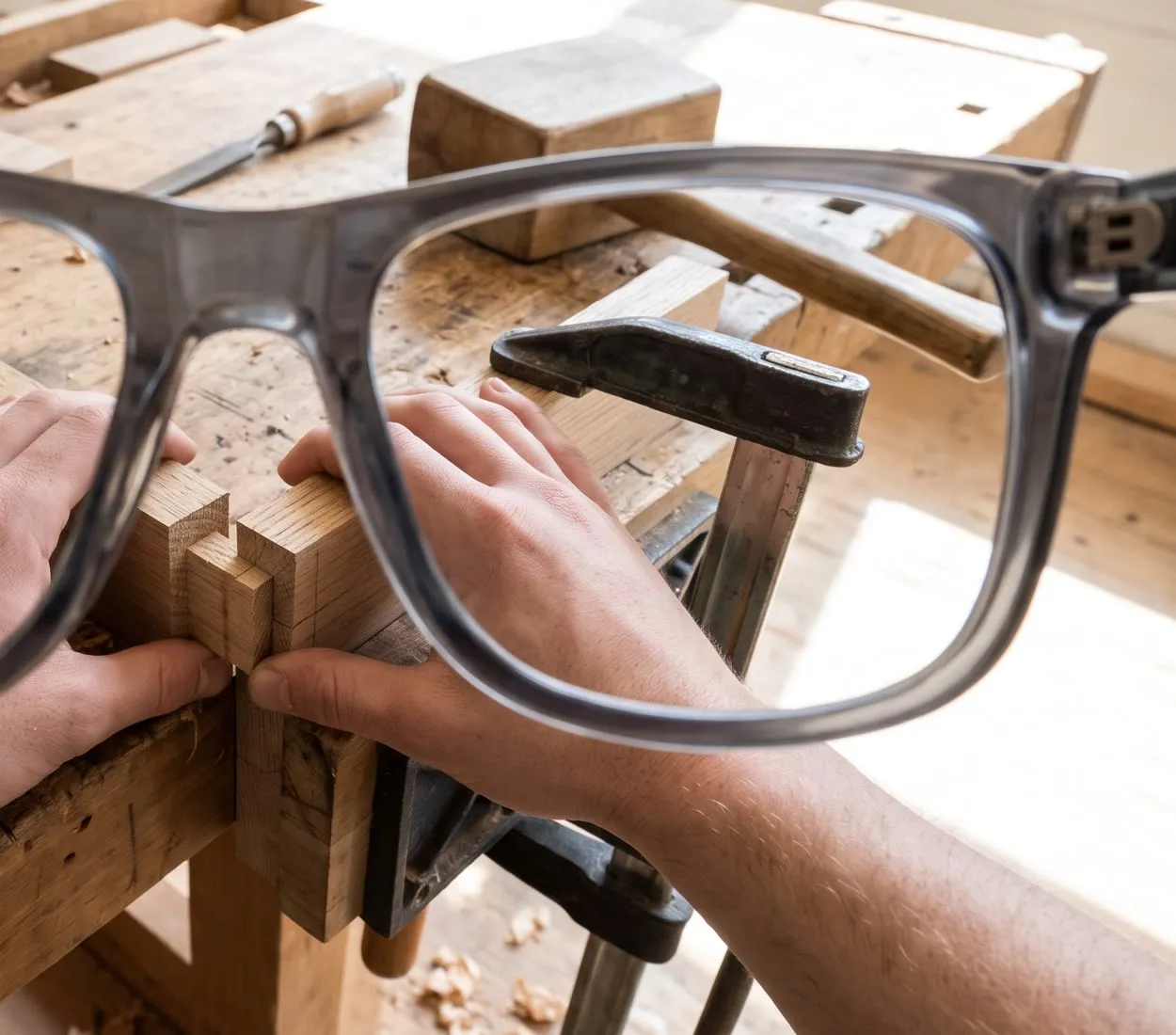
The carpentry workshop of a vocational school. Last week the instructor handed over the steps of a mortise and tenon corner joint once, each with a photo and a short clip.
- Glasses on, the exercise startsThe students start the workflow by voice. Each works at their own pace, and the coach only ever gives the next step.
- A question at the bench“Is the mortise deep enough?” The coach answers from what the student is looking at, based on the instructor’s material.
- The instructor, one tap awayThe tenon won’t fit. The student calls in the instructor, who sees what the student sees on a laptop, freezes the frame and circles where it still needs work.
- The same attention for everyoneWhoever finishes early starts the next workflow. Whoever is slower isn’t left alone: the coach is there for them just the same.
- Replay in the portalThe instructor watches the morning back from the students’ point of view and tags a clean joint “good example” and a slipped step “to review” for tomorrow’s class.
Whatever happens on the job stays on record, in words and pictures.
Whether the AI coach is guiding, an expert is on the call or a code is being scanned, the job writes its own record. For larger companies that is a requirement, not an extra, so it is part of every feature.
In writing
Spoken questions, answers and notes are captured as text, with no typing.
In pictures
A photo of each step from the glasses’ point of view. From calls, the expert’s marked-up pictures are kept too.
Time-stamped
Every photo, sentence and scan carries its exact time, so you can always see what happened when.
Searchable
Find any job in the customer portal by project or by label, for example important or to review.
Replayable
Watch the job again from the glasses’ point of view, with the transcript and a step-by-step timeline.
In a database
Every record is kept instead of getting lost in notebooks or message threads, and you can pull it up at any time.
Frequently asked questions
Can’t find what you’re looking for? Write to us — a human replies.
How can smart glasses be used in vocational training?
The instructor hands over an exercise once, step by step, with a photo and a short clip. Students work in Ray-Ban Meta or Meta Ray-Ban Display glasses, the AI coach guides them through, and if they get stuck, one tap calls in the instructor.
Can instructors review students’ work afterwards?
Yes. Every step is captured with a photo, the spoken note and a timestamp. In the customer portal the instructor replays it from the student’s point of view, with the transcript and the step timeline, and can tag it “important”, “to review” or “good example”.
Can AI glasses be used in clinical training?
Yes, for practising procedures under supervision: the student gets hands-free feedback on the order of the steps, and the instructor reviews the recording later. When needed, the instructor can also be called in live.
What happens to recordings of students?
The camera only works during an active session that the student starts and stops; nothing is recorded in the background. Only the people you allow can see the recordings, and you can revoke that access. Your material never trains a public or shared model.
Which trades can AI glasses help teach?
Any work where the know-how lives in the hands and eyes: carpentry, pastry, hairdressing, restoration, or clinical practice. The AI coach speaks any language.
How can a school or training workshop try it?
A pair of Ray-Ban Meta or Meta Ray-Ban Display glasses and an iPhone are enough, we can help with the glasses, and without glasses you can try it with the phone’s camera. An afternoon is enough for a first try, then we plan a pilot with one group together. Get in touch.
We’ll show you live. At your site, online or at your event.
See how we run a demo →Let’s start with a pilot.
Tell us what your team works on and where we could help. A human replies — not a bot.
We also show it live: at your site, online or at an event. How our demos work →
See what they see.
Know what they know.