How does remote assistance with smart glasses work on a maintenance job?
A technician who gets stuck doesn’t have to describe what they’re looking at over the phone. A more experienced colleague can see it through the glasses, from the office or another site.
Gábor Varga
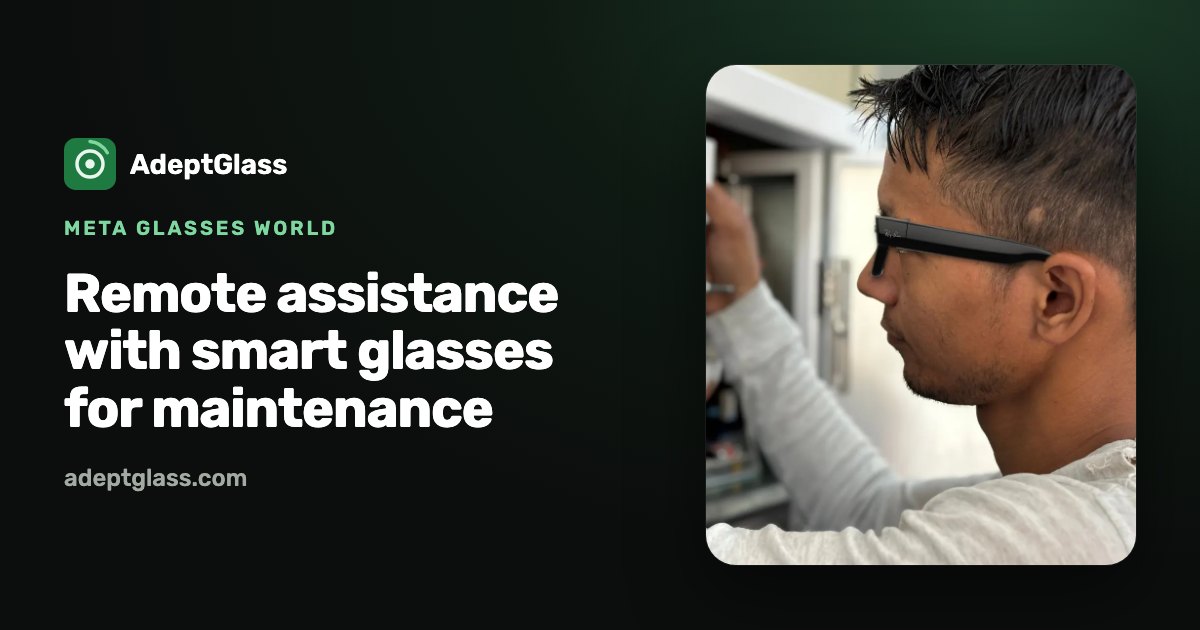
Remote assistance with smart glasses lets a technician on site bring in a more experienced colleague in the middle of a job. The colleague watches the live picture from the glasses’ camera, so they see exactly what the technician sees. The two talk as they would on a phone call, the colleague points out what to look at, and the technician carries on with no phone to hold. The person helping can be in the office, at home or at another site, so getting stuck doesn’t have to mean a second call-out or waiting for someone to drive over.
A video call on a phone works too, but then one hand is busy holding the phone, and the colleague only sees wherever it happens to be pointing. With glasses they see the job from the technician’s point of view, and nobody has to explain where to look.
How does it work with AdeptGlass?
The technician calls the colleague with one tap on the phone or by voice. The colleague answers in a web browser, in the AdeptGlass customer portal, and sees the live picture from the glasses. There is nothing for them to install.
To point something out precisely, the colleague freezes the frame, circles the part or marks it with an arrow, and adds a short note. On Meta Ray-Ban Display glasses the marked-up picture appears in the lens, and the lens also shows who is helping. With either pair, the technician hears the colleague through the glasses’ speakers.
The call goes into the job record and has its own tab in the customer portal, with the marked-up pictures. Later you can look back at what the fault was and what was advised. If you label a job like this “good example”, the rest of the team can learn from it too.
On the same glasses, the AI coach can also walk the technician through the job step by step, from the material your experienced people only had to hand over once. If the technician is unsure, they can ask the coach first and call the colleague when they need more help.
What do you need?
On site, a pair of Ray-Ban Meta or Meta Ray-Ban Display glasses and an iPhone. The colleague who helps needs a computer with a web browser and access to your company’s customer portal. The camera only works during an active session, which the technician starts and stops, and nothing runs in the background.
The field service & maintenance page follows a whole service day like this, and the remote expert page covers the call itself.